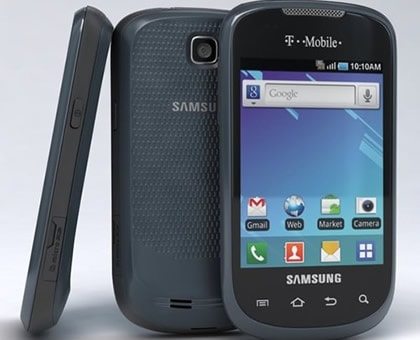
Want to get rid of the bloatware that T-Mobile has loaded on your Samsung Dart T499? No problem, we’ve the solution for you. The Samsung Dart smartphone became available in the year 2011 by T-Mobile. Running on the Android 2.2 Froyo, the Dart features a 600MHz processor that’s pretty good to handle normal apps and games. To expand the access to more apps and games, you can root your device. It will also allow you to remove the preloaded apps as well as install any root-only apps you want. Just follow the procedure given below and you will have a rooted device, right in your hands!
By EditAndroid
I. Before You Begin:
1. Rooting voids the warranty of your device. Go ahead keeping this in mind. In future, you’ll be able to restore the warranty by unrooting the device.
2. Make sure your device’s charged fully or have at least 60% of battery life left.
II. Downloading Required Files:
III. Rooting the Samsung Dart T499:
1. Download the SuperOneClick archive to your Desktop.
2. Unzip files from the archive to your Desktop.
3. Enable the USB debugging option on your smartphone by heading toMenu>>Settings>>Applications>>Development>>USB debugging.
4. Connect the device to your PC using the USB cable.
5. Double-click on the SuperOneClick executable file and it will launch.
6. Hit the Root button given inside the tool.
7. The process to root the device will begin.
8. Once it’s done, reboot your device.
9. You’re rooted now!
Brilliant! Your Samsung Dart T499 has successfully been rooted with the help of SuperOneClick. The apps like BusyBox and Superuser have been installed on your device, you can find them in your App Drawer.

No comments:
Post a Comment